
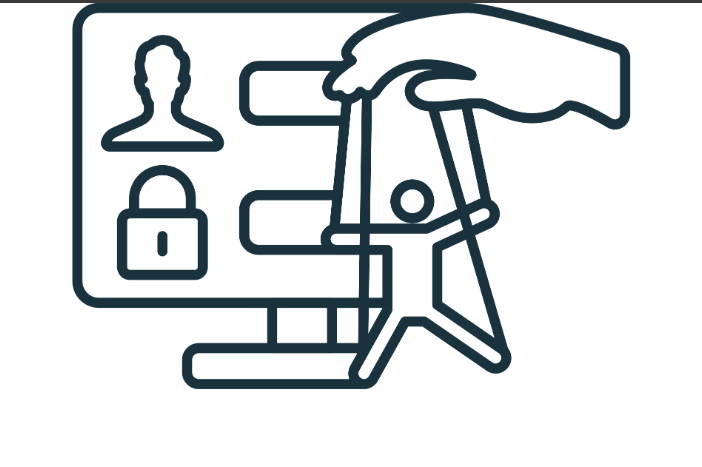
Social Engineering: The Hack That Doesn't Need a Computer Vulnerability
When most people picture a hacker, they picture someone in a hoodie typing fast in a dark room, breaking through firewalls with raw technical skill. The reality is different. The most successful “hacks” against small businesses don’t break any computer system. They convince a person to hand over what’s needed.
This is called social engineering, and it’s how the majority of successful attacks against businesses actually start. No clever code. No zero-day vulnerability. Just manipulation, patience, and an understanding of how people work.
Here’s what social engineering actually looks like in 2026 and how to defend against the part of cybersecurity that has nothing to do with technology.
What social engineering means
Social engineering is the practice of manipulating people into performing actions or revealing information that compromises security. The goal is the same as a technical attack — get into the system, steal data, redirect money — but the method is psychological rather than technical.
A few examples of social engineering in action:
A caller claims to be from “Microsoft Tech Support” and convinces an employee to install remote access software so the “technician” can fix a “problem.”
An email appears to come from the CEO asking the bookkeeper to wire money to a new vendor account by end of day.
A friendly person in a delivery uniform asks the receptionist if they can use the restroom, then plugs a small device into a network port on their way out.
A LinkedIn message from someone posing as a recruiter asks for “just a quick conversation” — during which they extract enough information about your business to craft a targeted attack later.
A vendor relationship manager you’ve worked with for years emails to say their banking details have changed and please update for next week’s payment.
In every case, the attack succeeds or fails based on whether a human makes the right judgment call. The technology is incidental.
Why it works
Social engineering works because it exploits things that are baked into normal human behavior — not flaws in software.
Authority bias. When the email appears to come from a senior person, people instinctively comply. Questioning the boss is uncomfortable.
Helpfulness. Most people want to be helpful. When someone asks for help — to find a coworker’s email, to confirm a process, to fix an issue — the default is to help.
Urgency. When something feels urgent, careful thinking gives way to fast action. “I need this before the end of the day” overrides “let me verify this is real.”
Reciprocity. A small favor establishes a debt, even between strangers. Someone who helps you with a small thing has earned the right to ask for a larger thing.
Fear and consequences. “Your account will be locked,” “the audit is starting,” “we’ll be in serious trouble” — fear of consequences makes people skip verification steps.
Familiarity. When the request looks like something that’s happened before, scrutiny drops. “We do this all the time.”
A skilled social engineer combines several of these in a single attack. The “CEO” message arrives marked urgent (urgency), comes from someone with authority (authority bias), asks for something that sounds routine (familiarity), and warns of consequences if it’s not handled (fear). Each layer makes the target more likely to comply.
What's typically wrong in real environments
Walk into ten small businesses and look at how guest Wi-Fi is actually configured, and here’s what you tend to find.
The “one network for everyone” setup. No separation at all. Guests are on the same network as staff. Some businesses set this up intentionally to make it easy. Others did it years ago and never revisited. Either way, it’s the worst configuration from a security perspective.
The “guest network that isn’t really separated” setup. There’s a separate SSID called “Guest Wi-Fi” — but technically, devices on it can still see and reach the staff network. The illusion of segmentation without the reality. Worse than a single network in a way, because everyone assumes they’re protected.
The “guest password is on a sign in the lobby for the last five years” setup. The password hasn’t changed since the router was first set up. Hundreds of former guests still have working access. Some of those guests may have shared the password with friends, posted it online, or had their devices stolen.
The “the Wi-Fi is sluggish but nobody knows why” setup. Guest traffic isn’t capped. A handful of devices in the lobby are consuming most of the bandwidth, dragging staff productivity down.
The “no captive portal, no terms of service” setup. No record of who used the network, no terms accepted, no liability shield in case someone does something problematic from your IP address.
If any of those sound like your environment, you’re not alone. The fixes are straightforward.
The five most common social engineering attacks against small businesses
- CEO impersonation / business email compromise. Attackers impersonate executives via email, requesting wire transfers, gift card purchases, or sensitive data. These attacks cost businesses billions per year and target small businesses specifically because they tend to have less rigorous verification protocols.
- Vendor impersonation. The “vendor” emails to update banking details. The next legitimate payment to that vendor goes to the attacker. The real vendor wonders where their money is weeks later. By then, the funds are gone.
- Fake tech support. Someone calls or emails claiming to be from Microsoft, your IT provider, or another technical entity. They convince the user to install remote access software or share credentials. Once in, they have free reign.
- Pretexting. An attacker calls or emails with a believable story (the “pretext”) that justifies their request. “I’m with the auditing firm; I need to verify a transaction.” “I’m new to accounts payable and trying to confirm a process.” The pretext makes the request seem legitimate.
- Physical social engineering. Less common but still happens. Someone gains physical access to your office under a pretext — delivery person, contractor, prospective customer — and uses that access for everything from network access to outright theft of devices.
How to defend against social engineering
You can’t patch human psychology. What you can do is build processes that make social engineering attacks much harder to succeed.
Verification protocols for sensitive requests. Any request involving money, sensitive data, access changes, or banking information must be verified through a known, separate channel before action is taken. The email arrives, the request gets made — and before anything happens, someone calls a known phone number (not one in the email) to confirm. This single rule blocks the majority of BEC and vendor impersonation attacks.
Two-person approval for significant actions. Wire transfers over a certain threshold, banking changes, sensitive data exports — these should require sign-off from a second person. This adds a verification step that an attacker can’t easily fake.
Training that emphasizes “verify, then trust.” Most security training focuses on spotting fakes. That’s good. But the better mental model is: don’t try to spot fakes — verify all sensitive requests, every time, regardless of who they appear to come from. The CEO who calls and asks why you verified before processing their request is the CEO you want to work for.
Documented processes for unusual requests. When something comes in that’s outside the normal flow — a new vendor, a banking change, a request for bulk data — there should be a written process for handling it. Written processes resist social engineering because they require specific steps that have to be followed regardless of who’s asking.
A culture of “no” on unusual urgency. “I need this now and I can’t be reached for the next hour” is the most common social engineering pretext. Train your team that unusual urgency is itself a warning sign, not a reason to skip steps. The right response is “I can have this for you within an hour once I’ve verified — what’s the best number to confirm with?”
Physical security awareness. Anyone you don’t recognize should be acknowledged and ideally accompanied. Strangers shouldn’t be left alone with access to computers or network ports. Visitor logs aren’t paranoid; they’re basic professionalism.
What an actual phishing simulation tells you
The best way to test how vulnerable your business is to social engineering is to run controlled phishing simulations. We do this for managed clients on a regular cadence.
The results consistently teach a few lessons:
- The first time a business runs simulations, click rates are often 20-40% — meaning a significant portion of the team would fall for a real attack.
- After consistent training and simulations, click rates drop to single digits — usually 2-5%.
- The biggest improvement comes from making the training short, frequent, and engaging rather than annual and tedious.
- People who fall for simulations and get gentle, useful feedback (not punishment) become more skeptical over time. People who get yelled at often disengage from security entirely.
This is the kind of program that pays for itself many times over. The cost is small. The improvement in actual attack resistance is large.
What to do this week
If your business hasn’t thought specifically about social engineering, here are three things worth doing in the next week:
- Write down your verification protocol for financial requests. It should be one paragraph. Tape it to the wall where bills get paid. Include the rule that the CEO, owner, or any senior person’s “unusual” requests get verified by phone before action.
- Establish that there is no penalty for verifying — and no exceptions, ever. Make sure everyone knows. The cost of one minute of “let me confirm this with you” is nothing compared to the cost of being wrong.
- Plan to do real security awareness training this year if you haven’t done it recently. Even one good session moves the needle. Quarterly training plus simulated phishing moves it dramatically.
If you’d like help putting any of this in place, that’s something we routinely do for clients across the region. A short conversation about your current verification practices and training program is the right place to start. The technology side of cybersecurity gets all the attention, but the human side is where the most expensive attacks happen — and where the most effective defenses cost the least.
